

A daily search runs every morning and adds only creators you have never seen. You try it on last week first, so what you schedule is exactly what runs.
Open Searches and click New daily search.
1. What to watch
Pick a lane:
Topic: who is talking about it.
Audience: who your buyers read. Covers the web and newsletters.
Then describe it in your own words, up to 300 characters. The project's scope chips are shown read-only: a daily search never leaves them. To change them, edit the platforms in Project settings.
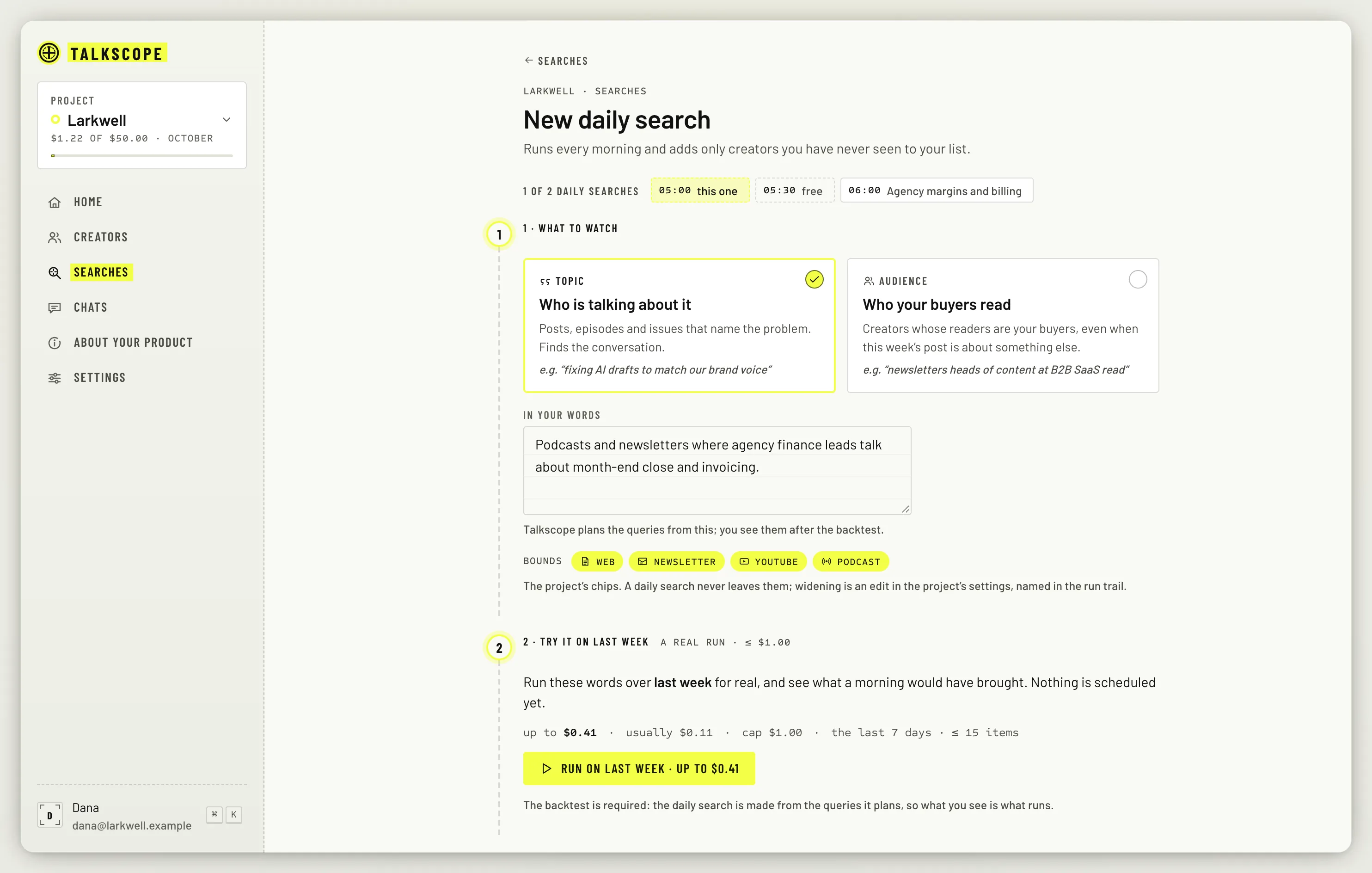
2. Try it on last week
The backtest is required. It is a real search over the last 7 days, capped at $1.00 and 15 items, and the cost is shown before you click: up to the most it could cost and, once there are at least three past runs to go on, what it usually costs. Click Run on last week to start it.
When it finishes you see how many creators last week would have found, with three of them, and the queries it planned. Not right? Change the words unlocks the box; edit them, then click Run on last week again. If its worst case is over the $1.00 cap, it does not start, and you can narrow the words instead.
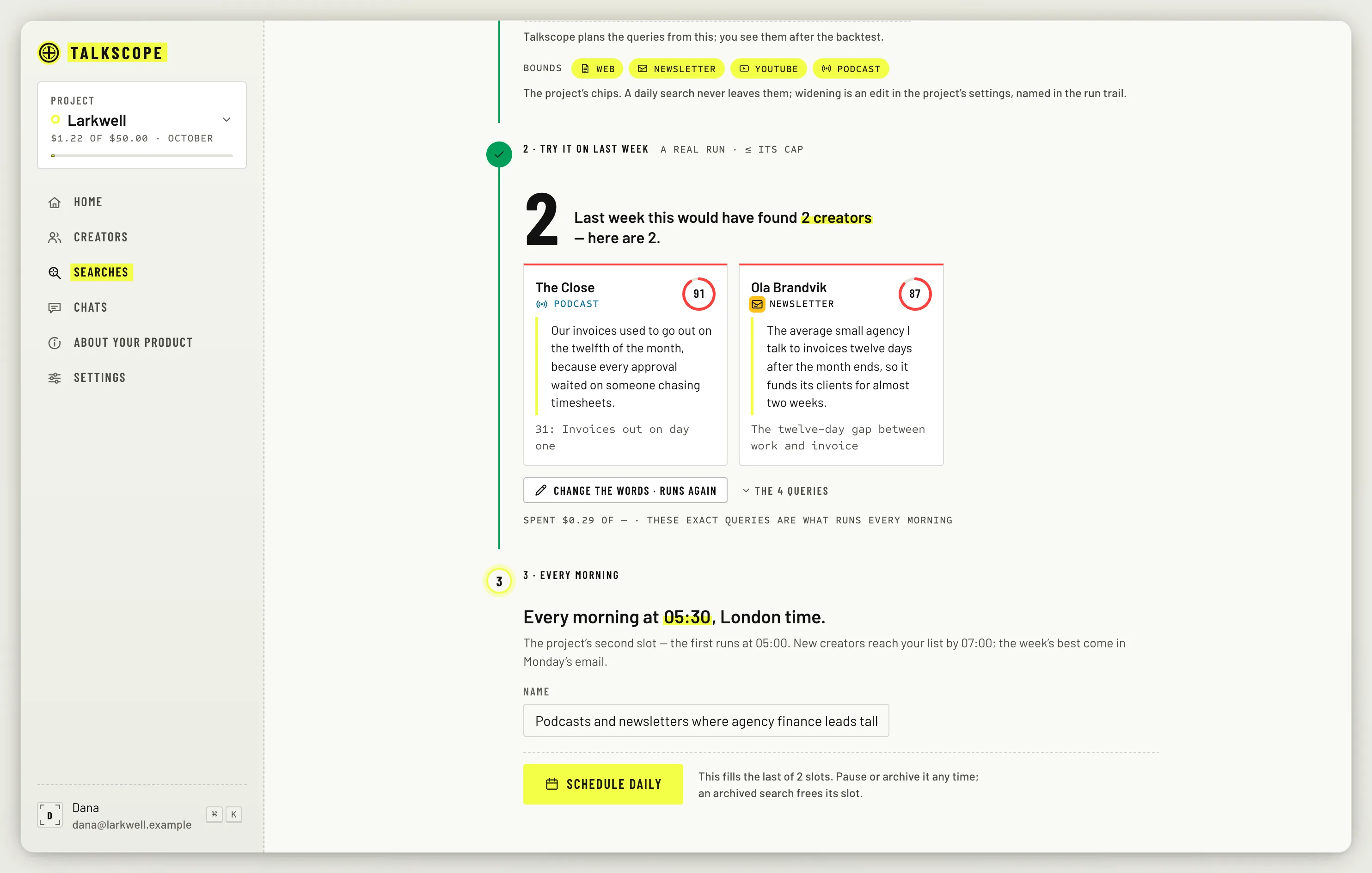
3. Every morning
Talkscope shows what the search will cost: about how much a day, the worst case, and the month. Give it a name and click Schedule daily. It runs every morning at 05:00 in your project's timezone, or at 05:30 if it is your second, and new creators reach your list by 07:00.
Each project has two daily search slots. Pausing a search keeps its slot; archiving it frees the slot. A scheduled run is capped at $1.00 and 40 items.