

The Monday email
Every Monday at 08:00 in your timezone, Talkscope sends one email with a section for each project: how many creators wait for you, what is new this week, and the top three with their quotes. A button opens the project on your phone, one card at a time.
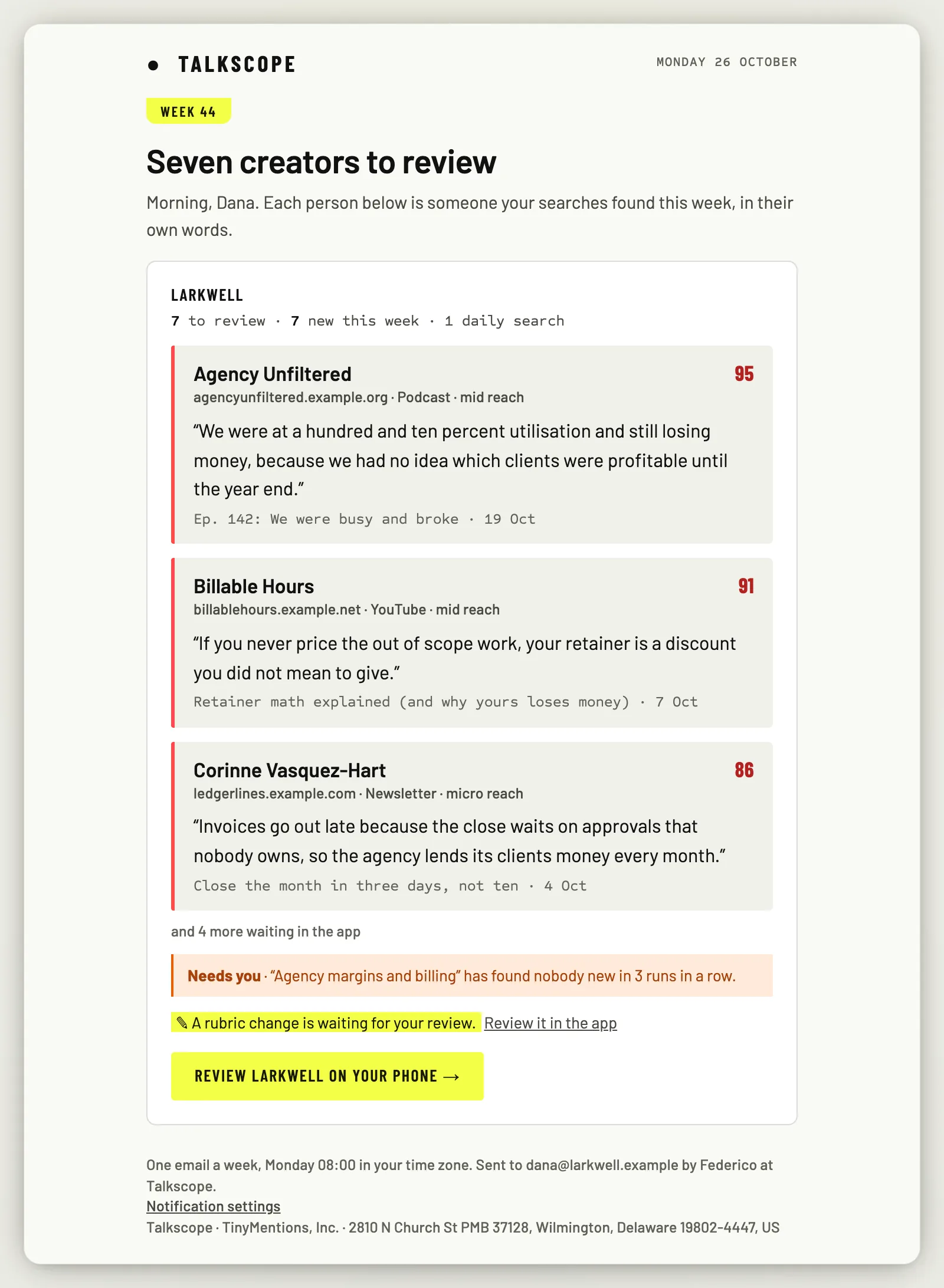
It also mentions a search that went quiet and a rubric suggestion waiting for you.
When a project has nothing waiting but its daily searches ran and found no one new, its section is one line saying so, so you know the searches are running. A project gets no section when none of its daily searches ran, or when you have already answered everything; if no project has a section, no email comes that week.
Unsubscribe
Every Monday email has Unsubscribe in one click at the foot. That turns the weekly email off for all your projects. To turn it back on, use the switch below.
Notification settings
Open Account settings and the Notifications tab. There are three switches, all on to begin with:
The weekly email: the Monday email above.
Quiet searches: whether the Monday email mentions a search that went quiet.
Cost alerts: whether you get the cost emails at 80 % and 100 % (owners and admins only).
These switches only decide what is emailed. The cards in the app, on Home, show either way.
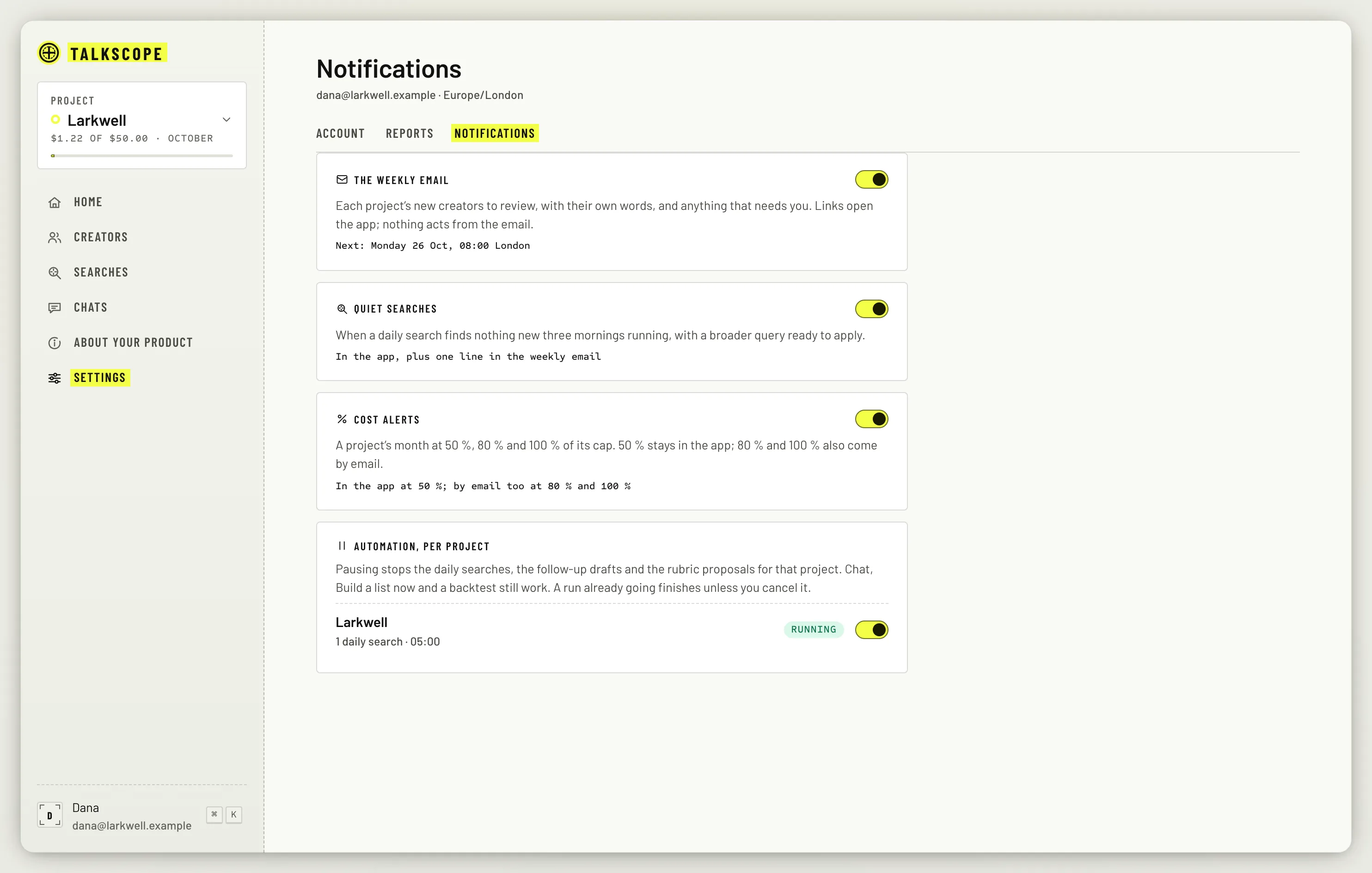
Below them, Automation, per project lets you pause a project's daily searches, follow-up drafts and rubric suggestions without archiving anything.