

The Creators list
Creators holds every creator the project has saved. Show it as a Table, a Board by stage, or Cards, filter by platform, audience, dormant or collab signals, and save a view you use often. Export CSV downloads what you see.
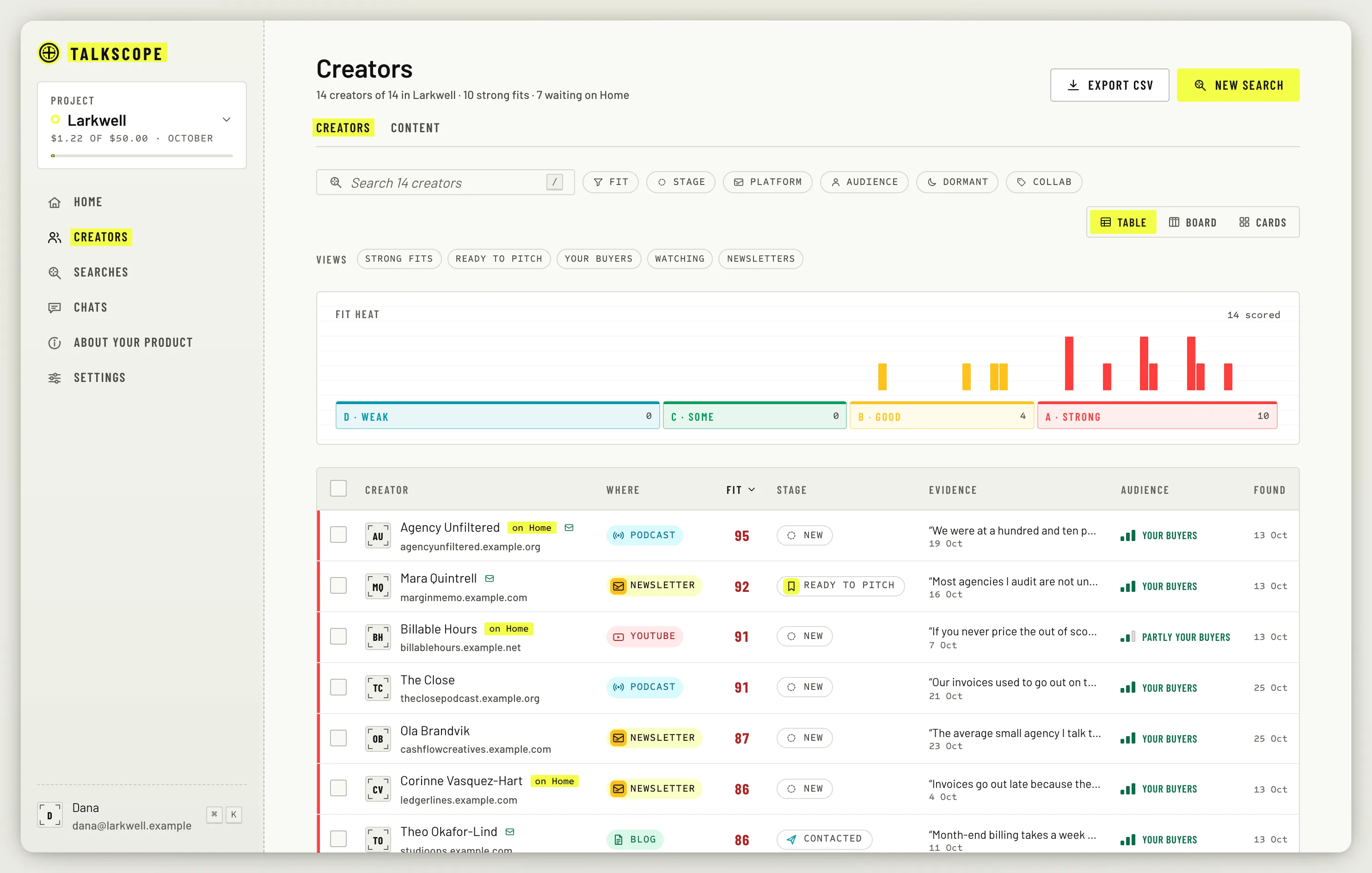
Each creator moves through stages: New, Ready to pitch, Contacted, Replied, Collaborating, and Passed or Declined. Most moves happen for you: accepting a card makes it Ready to pitch, sending a pitch makes it Contacted.
The creator page
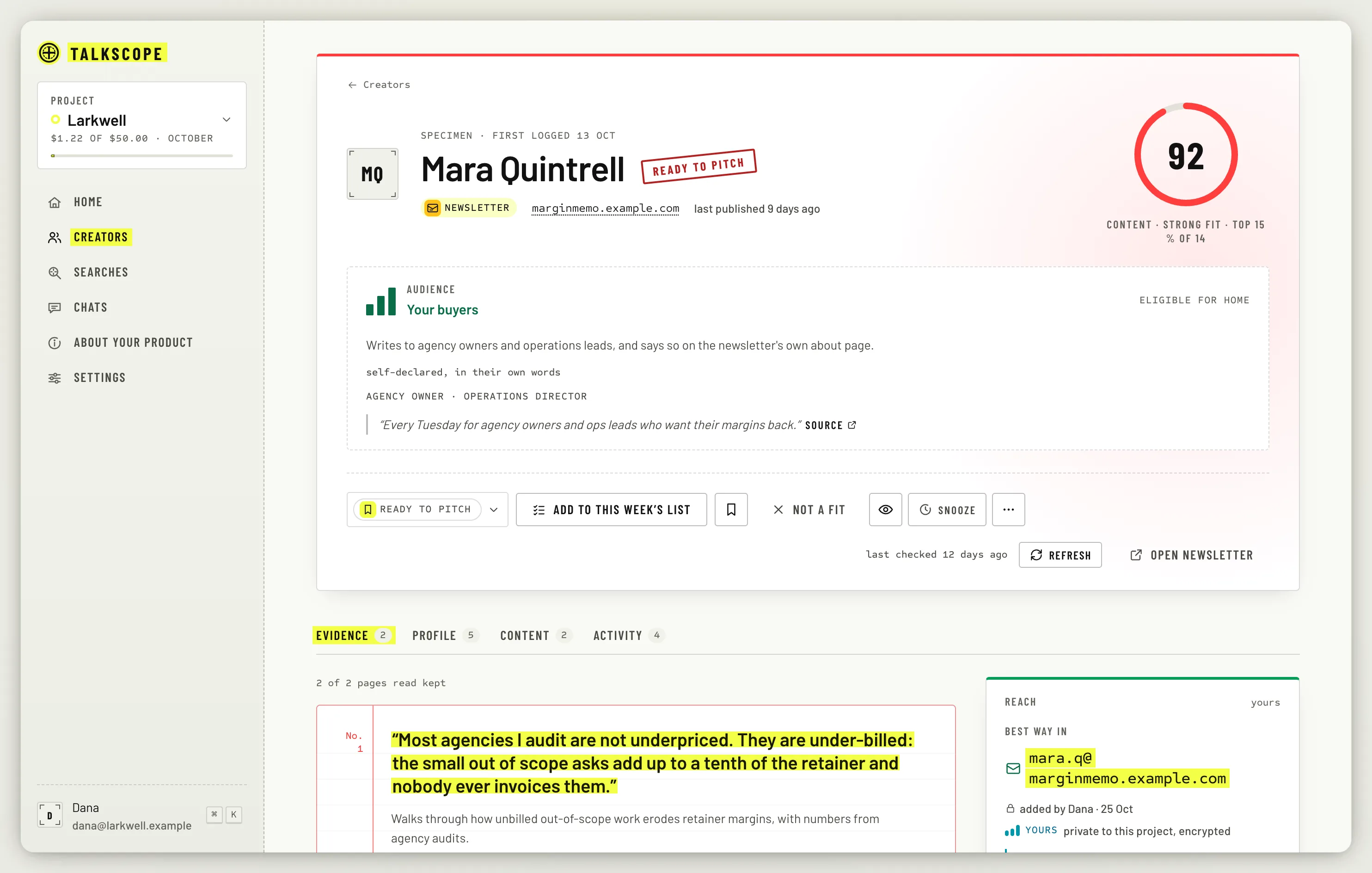
Click a creator to open their page. It has four tabs:
Evidence: the quotes behind the scores, each with its page.
Profile: topics, audience, cadence, who they are, and whether they mention your product or competitors.
Content: every page of theirs Talkscope read.
Activity: what happened with them, in order.
Signals worth knowing
Dormant: no dated post in six months.
Media kit, Rate card, Work with me or Sells sponsorship: they take collaborations.
Possible undisclosed ad: a post that reads like paid content without saying so.
Possible duplicates
The same person can show up twice, say as a blog and a newsletter. Talkscope flags likely pairs under Your move on Home, and never merges them on its own. Open the review, pick which row to keep, and click Merge, or Not the same person. A merge can be undone from the creator page.