

Open a creator and click Draft pitch. Accepted creators usually have a first draft waiting. The pitch page works top to bottom in four steps.
The brief
Above the letter, Talkscope recommends a type of collaboration, such as a sponsorship, a guest appearance or a product review, and says why. Where it quotes a price, it shows the range and where it came from: your stated budget, or a market benchmark.
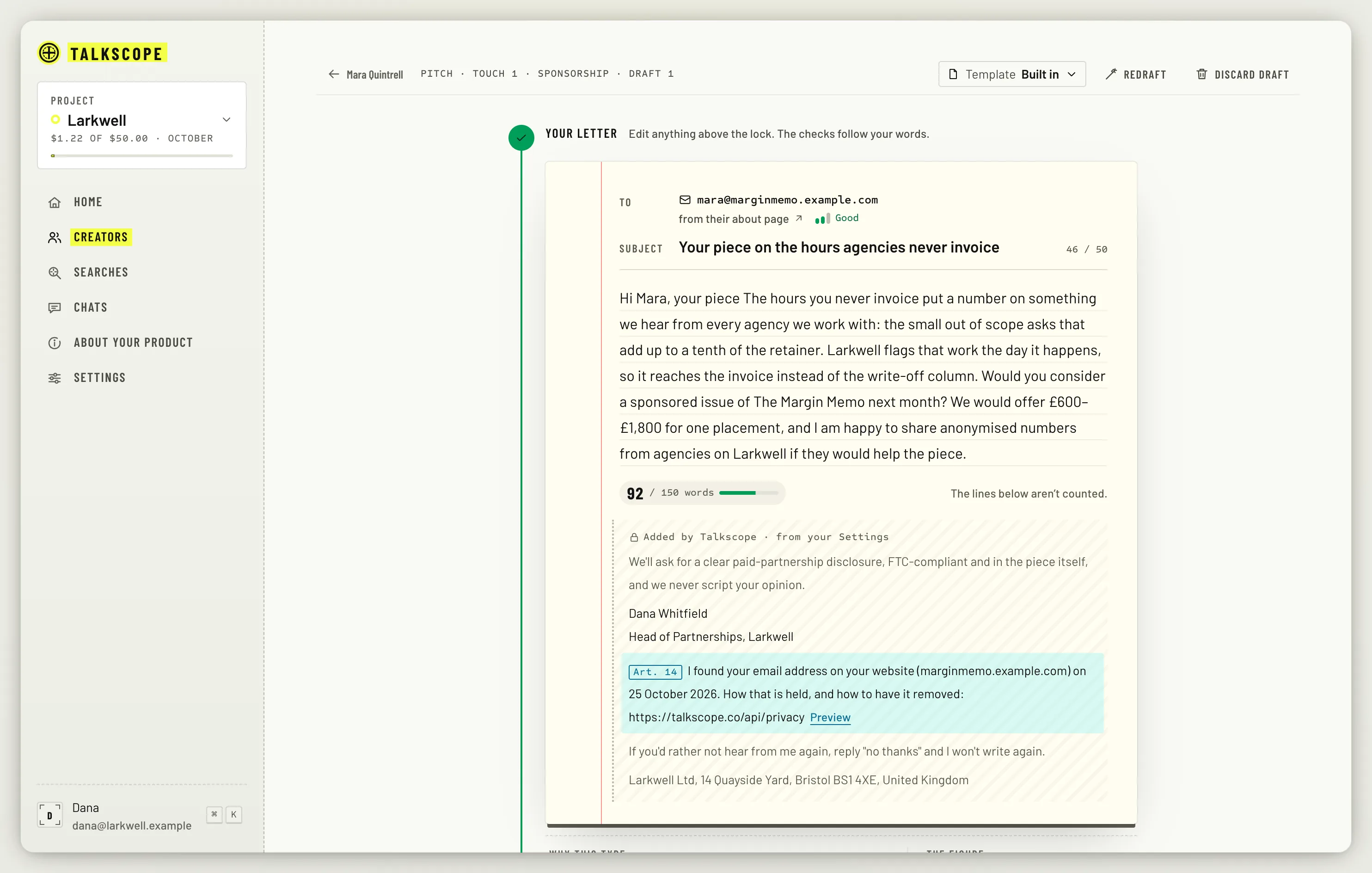
1. Your letter
Edit the draft freely. Redraft writes a new one, with an instruction if you want, for example "shorter, and mention the agency audience". The legal lines at the foot (where Talkscope found them, how to opt out, and your name and postal address) are locked.
2. Pre-flight
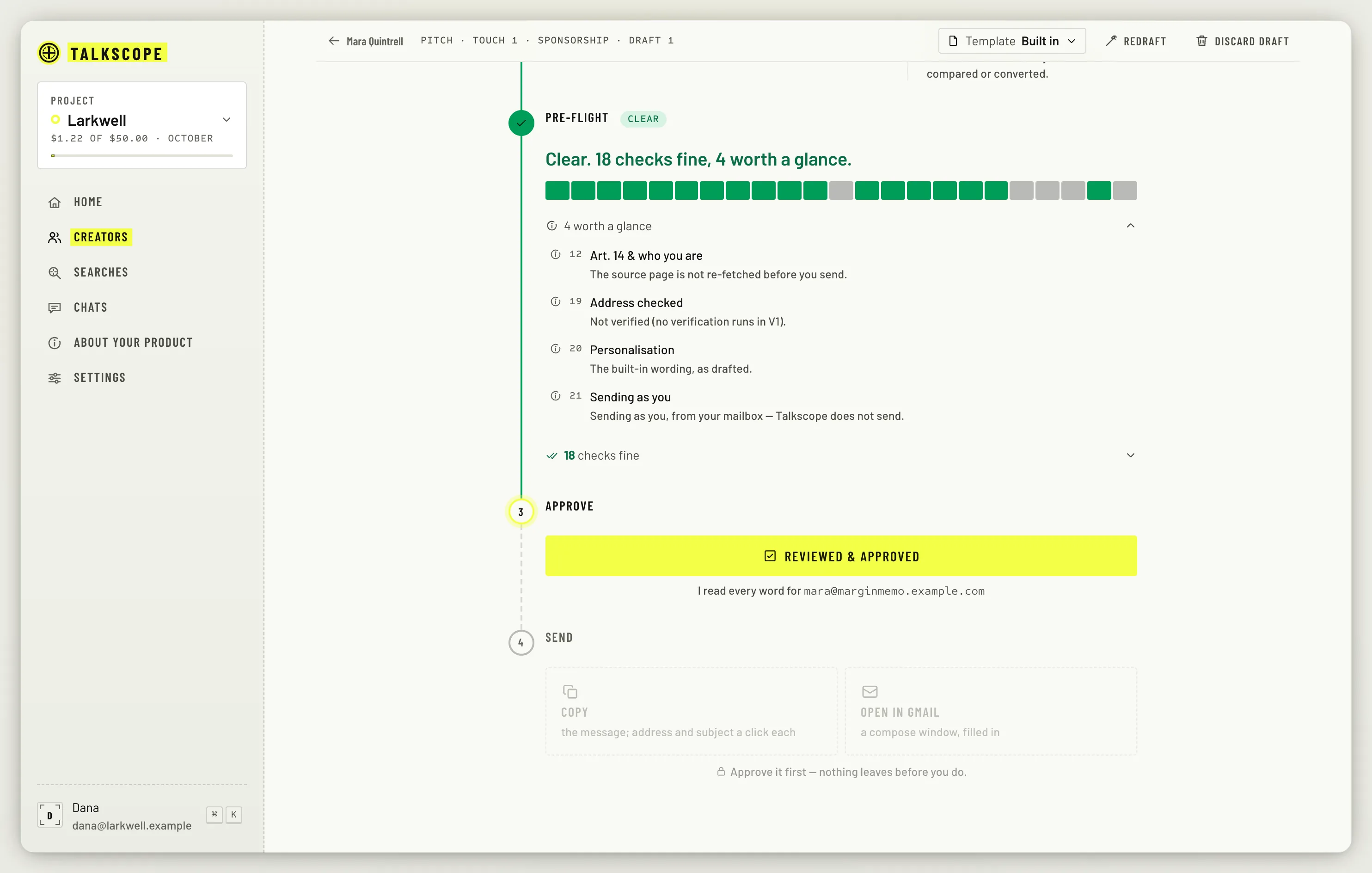
Before anything can be sent, the pitch runs a checklist: the creator is not on do-not-contact, the name and product are right, every quote and link is real, the cited work is recent, nobody in your organisation wrote to them in the last 30 days, and more. Each row reads as clear, worth a glance, or to fix. A pitch with something to fix cannot be approved.
3. Approve
Read every word, then click Reviewed & approved. If you edit the letter after approving, the approval clears and you approve again.
4. Send it yourself
Talkscope does not send. You do, from your own mailbox:
Copy: the message, with the address and subject a click each.
Open in Gmail: a compose window, already filled in. Gmail links are limited to 2,000 characters for the whole link, so a pitch that would make it longer is copied instead.
Contact form: copy the text for their form, then open the form.
I sent it: already sent it some other way? Say so and Talkscope logs it.
Any of these marks the creator Contacted, with ten seconds to undo.
Some creators have no address or form Talkscope can use. For them, Write a note you send yourself drafts a message for wherever you talk to them: copy it, send it yourself, then log it with I sent it via and a few words on where.
Follow-ups and outcomes
If the creator does not answer, Talkscope plans follow-ups on day 4 and day 12, then stops. Each one is drafted for you early on the morning it is due (at 06:00 UTC). Follow-ups due on Home lists the notes due now and the ones coming up.
When they answer, record it under When they answer: Replied, Agreed, Published, Declined or Bounced. Any outcome stops the follow-ups.
If anyone in your organisation sent this creator a pitch in the last 30 days, writing again needs a reason. Talkscope asks for it before it drafts.